Send a Stripe Payment Link: Fast Steps & Best Tips
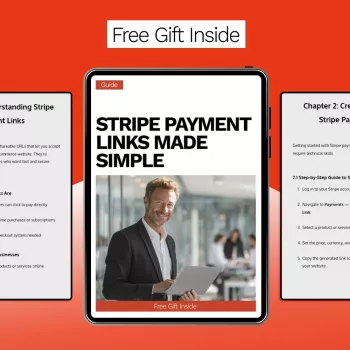
How do I send someone a Stripe payment link?
A Stripe payment link is a shareable URL that lets a customer pay by card or other available methods without needing an invoice or a custom checkout page. The fastest way to send one is through the Stripe Dashboard, then share the link by email, text, or chat. If you need the full walkthrough with screenshots and tips, visit the main article here.
Step 1: Create the payment link in Stripe
Log in to your Stripe Dashboard and go to the Payment Links section. Choose the product or service you’re selling (or create a new one), then set the price, quantity rules, and any options like shipping, taxes, or promotion codes. Confirm the payment methods and the customer information you want to collect at checkout.
Step 2: Copy the link and share it with the customer
After you create the link, Stripe will generate a unique URL. Copy it and send it through the channel your customer prefers—email for a formal paper trail, SMS for speed, or a messaging app for convenience. Include a short note with what the charge is for, the amount, and any deadline (for example, “Please pay by Friday to reserve your order”).
Step 3: Confirm payment and fulfill the order
Once the customer pays, Stripe will show the payment as successful in your Dashboard, and you can also receive notifications if enabled. Use the payment status to trigger fulfillment, schedule the service, or mark the order as paid in your records. If the customer has trouble, resend the same link—payment links don’t “use up” after one view.
Quick safety and professionalism tips
Send links only from an official business account, and avoid rewriting the URL (customers should see it clearly). If a customer asks for a different amount than the listed price, create a separate payment link that matches the correct total instead of asking them to “add extra.”
FAQ
Can I customize a Stripe payment link for a specific customer or amount?
Yes. Create a separate payment link that matches the exact price and settings you need for that customer, then send that unique URL so the total is clear and consistent at checkout.















Leave a comment