Instant Payment Link Setup: Create, Test, Share Fast
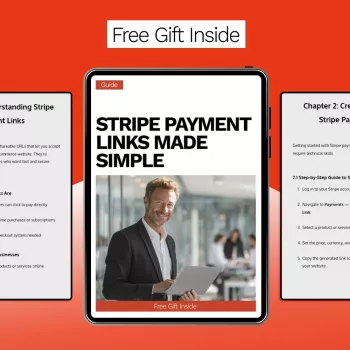
How to create an instant payment link?
An instant payment link is a shareable URL that sends a customer straight to a checkout page with the amount (and sometimes the item) already set. It’s a fast way to collect money through text, email, DMs, invoices, or QR codes—without building a full shopping cart experience for every sale.
1) Choose your payment method and provider
Start by deciding where you want the payment to land: a card payment processor, a digital wallet, a bank transfer service, or an e-commerce platform checkout. Pick a provider that supports “payment links” (sometimes called pay links or checkout links) and offers the currencies, countries, and payout timing you need.
2) Create the payment link inside your dashboard
Most services let you generate a link from a “Payment Links,” “Checkout,” or “Invoices” section. Add the product or enter a custom amount, select the currency, and confirm whether you want to allow tips, quantity changes, or coupon codes. If you sell a specific item, include a clear description so the buyer knows what they’re paying for.
3) Set the key details that prevent delays
Before you publish the link, double-check taxes and shipping rules (if applicable), the customer receipt settings, and the success/cancel redirect pages. If the provider allows it, add an expiration date or limit the number of uses for one-off transactions.
4) Test, then share
Run a test payment (or use the provider’s test mode) to confirm the amount, receipts, and confirmation messages work as expected. Then share the link in the channel your customer is already using—SMS for quick closes, email for formal requests, or a QR code for in-person sales.
For a step-by-step walkthrough and extra setup tips, visit https://prestigal.com/how-to-create-an-instant-payment-link/.
FAQ
Is it safe to share a payment link in a text or DM?
Yes, as long as the link comes from a reputable payment provider and you share the official URL (not a screenshot or altered link). Avoid posting one-time links publicly if they’re meant for a single customer.















Leave a comment